Showing posts with label google certified educator. Show all posts

Friday, September 24, 2021

DFI - Week 9 - accreditation


Accreditation opportunities

When I did PGCE Applied ICT & QTS teacher training in the UK I gained British Computing Society - ECDL (European Computer Driving Licence) Level 2 
BCS logo
ECDL logo

and Certiport's MOS (Microsoft Office Specialist) - Advanced Word, Excel, PowerPoint.


I paid the $10 fee myself at the start of this DFI course and have passed the Google Certified Educator Level 1, I am now looking at further accreditation. I found today's Opportunities slide deck interesting to see the other Educator certs available.

Deep Dive: External Recognition Opportunities

  1. Google Exam: An opportunity to gain a globally recognised award for teachers.

  2. Review content from the Google Training Centre Modules. 

  3. Apple Teacher Exams Apple Learning Centre

  4. Screencastify Master the Screencast

  5. WeVideo Education Ambassadors

  6. BookCreator Certified Author

  7. Hāpara Champion

Google Certified Educator Level 1

Google Cert Ed Level 1 logo


Level 2 passed

I expected the $25 exam to have practical scenarios and to be harder. I think the multiple choice / drag& drop questions would be harder for ESOL students because it was more about reading comprehension and catching the red herrings.
logo pending

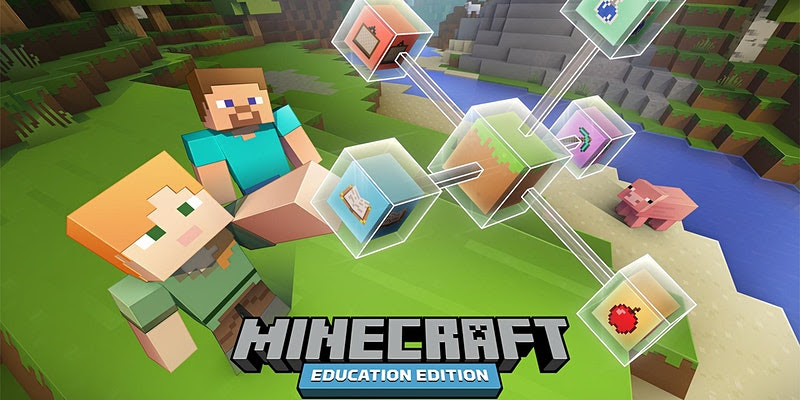
Microsoft Minecraft Edu PD


I have started to experiment with the delivery of Computational Thinking with Minecraft Edu. I've had a discusion with the HoD Maths to swap ideas on how I can integrate our DTEC CT curriculm so that it chimes in with the Y9 (measurement and number) and Y10 (statistics) maths topics. So I was pleased to see Cyclone is doing more PD with teachers for using Minecraft Edu. Here is a MinecraftEdu with maths for next Wed. We have an open evening hui at that time for senior subject selection, so hopefully they will share links to a webinar video / resources.

My initial thoughts are to integrate with our Droneblocks.io coding of Tello Drones to measure and calculate perimeter, area and volume (for Y9) and to use drone racing results bivariant data (for Y10 statistics). But the MinecraftEdu will be ideal for Y7-8 students.

CS Unplugged @ Home

I'm always impressed by the mahi of UC Computer Science Education with Tim Bell, so I was pleased to see today's tip of CSUnplugged@home. I will share this with our feeder school HPS's DTEC co-ordinator.

Tuesday, May 25, 2021

DFI - Week 3 -- Media

  • What did I learn that increased my understanding of Manaiakalani kaupapa and pedagogy?


    The Hook 

    SISOMO book cover

    I bought a copy of the SISIMO book by Saatchi & Saatchi about 8 years a ago. I do think we risk burn out if we try to compete with the eye candy of AAA game / $m budget Hollywood production standards. But I agree that good design is key and sight, sound, motion gather students' attention.
    The other maxim is K.I.S.S. keep it super simple.

        Thinking with Hands

I often say to students that I want them to listen with their eyes, because it focusses their attention and reinforces learning to have multi-modal, multi-sensory learning. In the last few Digital Technology Hangarau Matihiko classes I've been using digital tools of Trello.com to make project management KANBAN boards and Coggle.it to may shareable mind maps. However, a good supple of post-it notes, marker pens and big pieces of paper would be better for an immediate hands-on result. 

  • What did I learn that could improve my confidence, capability or workflow as a professional? 
    YouTube Playlists in Google Sites:
    As a workflow I pick specific videos and tutorials to add to my Google Learning Site and arrange them, e.g. 2 columns, 3 columns or grid of 4 videos. This can be time-consuming so using Youtube Playlists would be potentially quicker. However, I like making the sequence of videos explicitly clear. I see that you can sort the order of the playlist by date, popularity etc, but there doesn't seem to be a bespoke option. E.g. I may wish to change the order to support proximal learning of topics. 

  • What did I learn that could be used with my learners?  
    2D & 3D Planning

    I think the basic shapes and drawing tools in Google Slides and Google Drawing will be useful for my Seniors who have to plan their 3D VR apps. This could be an easy way for them to pre-visual a bird's eye view of their 3D space.

    Smart marking


    I have also been thinking about easy ways to create drag and drop exercises and quizzes. I already know how to use Slides & PPT and self-marking Google Forms. However, when I sat the Google Educator exam I liked how they had drag and drop quiz items that also self-marked. So I will look into making some of these, perhaps for my Computational Thinking course.

  • What did I learn that could improve my confidence, capability or workflow in my personal life? I will revisit using Screencastify and editing with weVideo. I have previous experience with non-linear video with my degree in Digital Media. I am familiar with iMovie and Adobe CC apps. I do suffer from procrastination / perfection bias as I only want to publish polished videos to a high standard. Also it seems daft to reinvent the wheel if a professional Youtuber has already spent hundreds of hours creating an animated After Effects video on a topic. This inertia means I haven't yet created my series of self-published re-windable video tutorials ( like a Coursera or Udemy course). I think this would be a personal goal to create some high level original content